
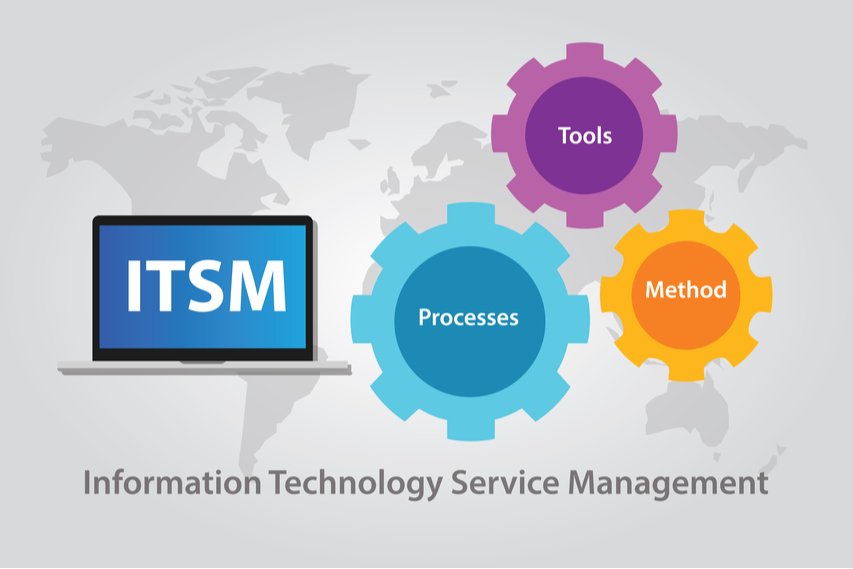
Implementing an IT Service Management (ITSM) tool is a critical step for organizations aiming to gain better control over IT operations, improve service quality, and align IT with business goals. However, without a structured approach, ITSM implementations often fail to deliver expected results.
This step-by-step guide explains how to implement an ITSM tool successfully, covering strategy, processes, people, and technology—while avoiding common pitfalls. This guide is ideal for IT managers, CIOs, and decision-makers planning an ITSM or service desk transformation.
Step 1: Assess Your Current IT Environment
Before selecting or implementing any ITSM tool, it’s important to understand your existing IT setup.
What to Evaluate
- Current ticket handling and support processes
- IT asset and license tracking methods
- Existing tools and integrations
- Pain points such as delays, lack of visibility, or manual work
A clear assessment helps define realistic goals and ensures the ITSM tool addresses real operational challenges.
Step 2: Define Clear ITSM Goals and Objectives
Successful ITSM implementation starts with clarity on what you want to achieve.
Common ITSM Goals
- Faster incident resolution and reduced downtime
- Improved SLA compliance and reporting
- Centralized IT service requests
- Better asset, license, and compliance management
Clearly defined objectives guide tool selection, configuration, and success measurement.
Step 3: Choose the Right ITSM Tool
Not all ITSM tools are suitable for every organization. Selecting the right platform is a crucial step.
Key Factors to Consider
- Ease of use for IT teams and end users
- Scalability as the organization grows
- Built-in ITSM processes (Incident, Problem, Change)
- ITAM and license management capabilities
- Integration with monitoring, ERP, HR, and security tools
Choosing a tool that fits your business size and complexity ensures long-term success.
Step 4: Design ITSM Processes Before Configuration
One of the most common ITSM mistakes is configuring the tool before defining processes.
Processes to Design First
- Incident and service request workflows
- SLA definitions and priority rules
- Change and approval workflows
- Asset lifecycle management processes
Well-designed processes ensure the tool supports operations instead of complicating them.
Step 5: Configure the ITSM Tool
Once processes are defined, the next step is configuring the ITSM tool accordingly.
Configuration Activities
- Service desk setup and ticket categories
- SLA rules and escalation matrices
- Workflow automation and notifications
- Asset discovery and inventory setup
Configuration should focus on simplicity, automation, and consistency.
Step 6: Integrate ITSM With Other Systems
ITSM delivers maximum value when integrated with existing business and IT systems.
Common ITSM Integrations
- IT Asset Management (ITAM) tools
- Endpoint and monitoring systems
- Identity and access management
- ERP and HRMS platforms
Integrations reduce manual work, improve data accuracy, and provide end-to-end visibility.
Step 7: Data Migration and Validation
Migrating data from legacy systems or spreadsheets is a critical step in ITSM implementation.
Data to Migrate
- Existing tickets and request history
- Asset and license data
- User and department information
Data should be cleaned, validated, and tested before go-live to avoid operational issues.
Step 8: Train IT Teams and End Users
User adoption plays a major role in ITSM success.
Training Best Practices
- Role-based training for IT teams
- Simple guides for end users
- Knowledge base and self-service enablement
Proper training ensures faster adoption and reduces resistance to change.
Step 9: Go-Live With a Phased Approach
Instead of a full-scale rollout, a phased go-live reduces risk.
Recommended Rollout Strategy
- Start with core modules like Incident and Service Requests
- Gradually introduce Change, Problem, and ITAM
- Monitor performance and user feedback
A phased approach ensures stability and continuous improvement.
Step 10: Monitor, Measure, and Optimize
ITSM implementation does not end at go-live.
Key Metrics to Track
- Ticket resolution time
- SLA compliance
- User satisfaction scores
- Asset utilization and compliance
Continuous monitoring and optimization help maximize ROI from your ITSM tool.
Common ITSM Implementation Mistakes to Avoid
Key Pitfalls
- Choosing tools without defining processes
- Over-customization during early stages
- Ignoring user training and adoption
- Treating ITSM as a one-time project
Avoiding these mistakes significantly improves implementation success.
Why Work With an ITSM Implementation Partner
Implementing an ITSM tool requires expertise across process design, tool configuration, integration, and support.
Benefits of an ITSM Partner
- Faster and structured implementation
- Reduced operational risk
- Best-practice-driven configurations
- Ongoing optimization and support
An experienced ITSM partner ensures your implementation delivers long-term value.
Conclusion
A successful ITSM tool implementation requires more than just software—it needs the right strategy, processes, and execution. By following this step-by-step approach, organizations can build a scalable ITSM foundation that improves service quality, visibility, and operational control.
If you are planning to implement or optimize an ITSM tool, partnering with an experienced ITSM services provider can help you achieve faster results with minimal disruption.