In today’s fast-paced digital environment, businesses rely heavily on technology to keep operations running smoothly. From handling employee IT requests to resolving customer issues, managing support efficiently has become crucial. This is where
IT ticketing tools come into play.
Whether you’re a startup with a small support team or a large enterprise managing thousands of service requests, IT ticketing software helps organize, prioritize, and resolve issues faster.
In this blog, we’ll explore what IT ticketing tools are, how they work, their key benefits, and why every business should invest in one.
What Are IT Ticketing Tools?
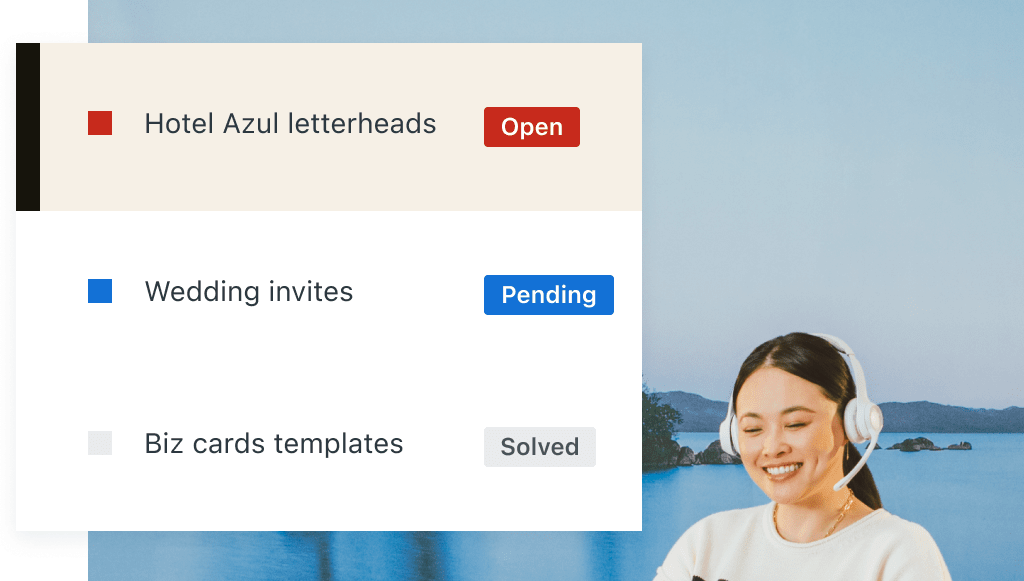
IT ticketing tools are software solutions designed to track, manage, prioritize, and resolve support requests or incidents through a centralized system.
Whenever a user reports an issue—such as a password reset request, software malfunction, network outage, or hardware problem—the system creates a ticket. This ticket contains all relevant information, including:
- Issue description
- User details
- Priority level
- Assigned technician or team
- Status updates
- Resolution notes
- Communication history
Instead of relying on scattered emails, spreadsheets, or phone calls, businesses can manage all support requests from one structured platform.
Common Issues Managed Through IT Ticketing Systems
Typical requests handled through ticketing tools include:
- Password resets
- Software installation requests
- Hardware support issues
- Network connectivity problems
- Security incidents
- Access requests
- Service outages
- Employee onboarding IT requests
These tools are often a core part of IT Service Management (ITSM) platforms and support frameworks like ITIL.
How Do IT Ticketing Tools Work?
Most IT ticketing systems follow a straightforward workflow:
1. Ticket Creation
A support request enters the system through channels such as:
- Web portals
- Chatbots
- Phone support
- Self-service portals
- Monitoring alerts
The system automatically generates a ticket.
2. Ticket Categorization
The issue is categorized based on:
- Incident type
- Urgency
- Department
- Service category
- Severity level
Automation can route tickets to the right support team instantly.
3. Assignment and Prioritization
Tickets are assigned to agents or teams based on workload, expertise, or predefined workflows.
Priority levels may include:
- Low
- Medium
- High
- Critical
4. Resolution and Collaboration
Technicians work on resolving the issue, collaborate internally, update notes, and communicate with users.
5. Closure and Reporting
Once resolved, the ticket is closed and stored for future reporting, auditing, and knowledge sharing.
Key Features of Modern IT Ticketing Tools
Not all ticketing systems are the same, but strong platforms typically include these features:
1. Ticket Management
The core functionality for logging, tracking, and resolving issues efficiently.
2. Workflow Automation
Automate repetitive tasks like:
- Auto-routing tickets
- Escalations
- SLA tracking
- Notifications
- Approval workflows
Automation reduces manual effort and speeds response times.
3. Self-Service Portals
Users can:
- Submit tickets
- Check ticket status
- Access FAQs
- Use knowledge bases
- Solve common issues independently
This reduces ticket volume significantly.
4. SLA Management
Service Level Agreements (SLAs) help ensure response and resolution targets are met.
Examples:
- Respond within 30 minutes
- Resolve critical issues in 4 hours
Ticketing tools monitor these automatically.
5. Reporting and Analytics
Measure performance through metrics like:
- First response time
- Mean time to resolution (MTTR)
- Ticket backlog
- Agent productivity
- Customer satisfaction scores
6. Integrations
Modern tools integrate with platforms such as:
- Slack
- Microsoft Teams
- Monitoring tools
- Asset management software
- CRM systems
- Project management tools
Why Every Business Needs IT Ticketing Tools
1. Centralized Support Management
Without a ticketing tool, requests often come through scattered channels:
- Emails
- Calls
- Chats
- Walk-ups
- Spreadsheets
This leads to confusion and missed issues.
A ticketing tool centralizes everything into one system.
2. Faster Issue Resolution
With automation, prioritization, and routing, support teams resolve issues faster.
Benefits include:
- Reduced downtime
- Faster response times
- Improved productivity
- Better user satisfaction
3. Improved Accountability
Every ticket has:
- An owner
- Status tracking
- Escalation paths
- Resolution records
Nothing slips through the cracks.
4. Better Visibility into Support Operations
Managers gain real-time visibility into:
- Open tickets
- Team workloads
- Recurring issues
- SLA compliance
- Support performance
This helps improve decision-making.
5. Scalability as You Grow
Manual support processes may work for small teams—but they break down as businesses grow.
Ticketing tools scale with:
- Higher ticket volumes
- More departments
- Multiple support teams
- Global operations
6. Enhanced Customer and Employee Experience
Fast, organized support improves experiences for both:
For Employees
Internal IT requests get resolved faster.
For Customers
Support becomes more responsive and reliable.
Better service often leads to higher satisfaction and retention.
7. Reduced Costs Through Automation
Automation cuts operational costs by reducing manual work.
Examples:
- Auto-assignment
- Auto-escalation
- Self-service deflection
- Knowledge-based resolutions
Support teams can handle more requests without adding headcount.
Business Benefits of IT Ticketing Tools
Here’s what businesses gain:
| Benefit | Impact |
|---|---|
| Faster support | Reduced downtime |
| Automation | Lower workload |
| Tracking & accountability | Fewer missed requests |
| Reporting | Better decisions |
| SLA compliance | Improved service quality |
| Self-service | Reduced ticket volume |
| Scalability | Supports growth |
Who Needs IT Ticketing Software?
Short answer: almost every business.
Industries using ticketing systems include:
- IT service providers
- Healthcare organizations
- Financial services
- Retail businesses
- SaaS companies
- Government agencies
- Educational institutions
Even non-IT teams use ticketing platforms for:
- HR requests
- Facilities support
- Employee onboarding
- Procurement requests
Popular IT Ticketing Tools Businesses Use
Some widely used solutions include:
- ServiceNow
- Jira Service Management
- Freshservice
- Zendesk
- ManageEngine ServiceDesk Plus
Each offers different capabilities based on business size and support needs.
How to Choose the Right IT Ticketing Tool
When evaluating software, consider:
Ease of Use
Can agents and end users use it easily?
Automation Capabilities
Does it reduce manual work?
Integration Options
Will it connect with your existing tools?
Reporting Features
Can it provide actionable insights?
Scalability
Can it grow with your business?
Cost
Does it fit your budget while delivering value?
Common Mistakes Businesses Make Without Ticketing Tools
Organizations relying on manual support often face:
- Lost or forgotten requests
- Slow response times
- Poor communication
- No performance visibility
- Missed SLAs
- Overworked support teams
- Higher downtime costs
A ticketing system helps eliminate these challenges.
The Future of IT Ticketing Tools
Modern ticketing platforms are evolving with:
AI-Powered Automation
AI can:
- Categorize tickets automatically
- Suggest resolutions
- Predict incidents
- Power virtual agents
Predictive Support
Instead of reacting to issues, businesses can prevent them.
Self-Healing Systems
Advanced tools can detect and fix some problems automatically.
The future of support is moving from reactive to proactive.
Final Thoughts
IT ticketing tools are no longer optional—they’re essential.
They help businesses:
- Organize support requests
- Improve response times
- Automate repetitive work
- Increase accountability
- Reduce costs
- Deliver better service
Whether you’re supporting employees internally or customers externally, the right ticketing tool can transform your support operations.
As technology demands continue growing, businesses that invest in structured, scalable support systems will be far better positioned for long-term success.
FAQs
What is an IT ticketing tool?
An IT ticketing tool is software used to log, manage, prioritize, and resolve support requests through a structured ticketing system.
What is the purpose of a ticketing system?
Its purpose is to streamline issue management, improve support efficiency, and ensure requests are tracked through resolution.
Are ticketing tools only for IT teams?
No. Many businesses use them for HR, facilities, customer service, and other internal service requests.
What is the difference between a help desk and a ticketing tool?
A ticketing tool focuses on managing support requests, while a help desk may include broader support functions like knowledge bases, self-service, and customer support.